
Excel - Master These 10 Functions to Skyrocket Your Productivity
11/20/2023 Recorded Webinar
Description
Microsoft Excel contains almost 500 built-in worksheet functions. Strip away the ones nobody uses. Discount the ones that have a specialized use-case and you’re left with a small set of functions that all Excel users should know, regardless of their job function, industry, or business sector. This webinar covers ten of Excel’s most popular productivity-boosting functions.
Topics covered
- IF: Automate data entry…if this condition is true, enter this value into a cell else enter that value into a cell
- COUNTIFS: Count how many times a particular value (date, number, text) appears within a range (e.g. how many times was Customer X a late payer?)
- SUMIFS: Add up a set of numbers that match a criteria (e.g. what was the total number of hours worked on Project 123)
- IFERROR: Want to get rid of those ugly #DIV/0 and #N/A errors? IFERROR is your friend
- XLOOKUP: Often referred to as "VLOOKUP on steroids", XLOOKUP is the new kid in town, making searching for data in a tabular list quick, simple and straightforward
- UNIQUE: Quickly generate a unique list of items in a single step
- FILTER: Quickly generate a dynamic list of filtered items. This is the powerhouse of the latest set of functions added to Excel
- SORT: Quickly generate a sorted list of items. Combine the SORT function with the UNIQUE function for extra power!
- GETPIVOTDATA: If you ever need to refer to a cell inside a pivot table, the GETPIVOTDATA function has you covered
- SUBTOTAL: Storing list-based data in a table is best practice. But what if you need to generate a total, count or average from filtered data In the Table? The SUBTOTAL function is just what you need
Who should attend
This training is categorized as intermediate. It is aimed at users who want to learn about the commonly-used worksheet functions in Excel.
Although the training will be delivered using the latest version of Excel, this training is relevant for users of all versions of Excel.
IMPORTANT: Several of the functions XLOOKUP, UNIQUE, SORT, FILTER are only available to Office 365 subscribers and users of Excel 2021). Please check that this training is relevant for your version of Excel.
Webinar Details
-
Recorded Webinar
Speaker:

Mike Thomas
Microsoft Trainer & Solution Developer: Excel, PowerBI & Office
Mike Thomas have worked in the IT training business since 1989 and although he has a subject matter expert in a range of technologies, particularly Mi...
Related Events

Excel Meets AI: Boost Your Productivity with ChatG...
In today’s fast-paced and data-driven world, efficiency, accuracy, and innovation are more critical ..

Using Artificial Intelligence to Enhance Student S...
In this session, we will examine how AI and indirect measures can be used to better guide assessment..
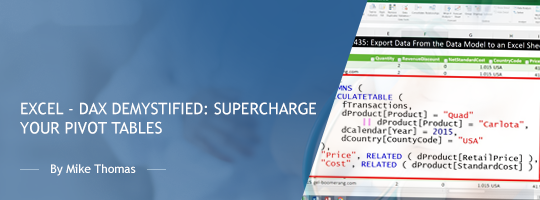
Excel - DAX Demystified: Supercharge Your Pivot Ta...
In today's data-driven world, having a strong command of Excel is essential, and understanding the D..
Upcoming Webinars

HIPAA in 2026: What Changed, What’s Coming, and Wh...
Over the last few years, the U.S. Department of Health and Human Services, Office for Civil Rights h..

HIPAA Breach Risk Assessment for Ransomware Attack...
HIPAA Breach Risk Assessments determine whether a Ransomware attack constitutes a HIPAA Breach that ..

E&M Coding Guidelines and Documentation Requir...
During this presentation we will Review current documentation guidelines for different location that..